Review roundup / Esports monitors
Sony INZONE M10S II review roundup: who should upgrade?
A faster mode, a different surface and a compact stand solve different problems. Decide which one matters at your desk before replacing a working display.
Published November 18, 2026 • By David Bennett / Published-review analysis
Find your answer ↓
The Sony INZONE M10S II deserves a closer look if you want to tune a PC gaming setup around high frame rates, screen position and room lighting. Keeping a working 1440p display is reasonable when those things already suit you. Start by naming the problem you want to fix. The Sony’s two headline modes involve different resolutions, its fastest connections require planning, and some motion settings exclude one another. A bigger refresh-rate number alone cannot settle your upgrade.
Gamer-Z-Paradise compared two published hands-on reviews with Sony’s documentation for the SDM-27Q102. Gamer-Z-Paradise has not tested this monitor.
Choose the game before the display mode
Sony’s exact-model format table lists 2560×1440 at 540Hz through DisplayPort. Its 720Hz option uses 1280×720, also through DisplayPort. At 2560×1440, the table’s highest HDMI entry is 480Hz. These are supported input formats. Whether your computer can supply the frames you want depends on the game, its settings and your hardware.
Write down the resolution and settings you actually intend to use in your most-played game. Include the demanding situations that matter to you, such as a crowded match. A target based on an empty practice area may describe a different workload. The useful question is how much of the monitor’s capability your normal sessions would use.
Consider the resolution change as a separate decision. If you want the finest detail the panel normally displays, assess the QHD mode first. If your priority is the 720Hz setting, look closely at what the lower-resolution presentation asks you to accept. Keep both conditions attached whenever you compare specifications.
Read the room-lighting verdicts in context
In his November 15 T3 review, Max Freeman-Mills used a loan unit for work and games, including Counter-Strike 2. He singled out the anti-glare finish as the most noticeable improvement in his experience and described better legibility in bright conditions. He also framed the overall revision as incremental.
Thomas Glenk’s October 29 ComputerBild review combined laboratory results with visual assessment. It praised the low-gloss surface and image sharpness, while judging HDR brightness short of the leading OLED displays. The accounts answer different questions. A reviewer finding a screen comfortable to read in a bright room does not establish its position in a controlled HDR brightness comparison.
Before replacing your display, describe the light that causes trouble. Is a window behind you, a lamp reflected beside a target, or the room simply bright? Sony identifies a Super Anti-glare Film, but your room is an untested condition here. A manufacturer photograph cannot demonstrate how that surface will behave at your seat.
Plan the whole connection
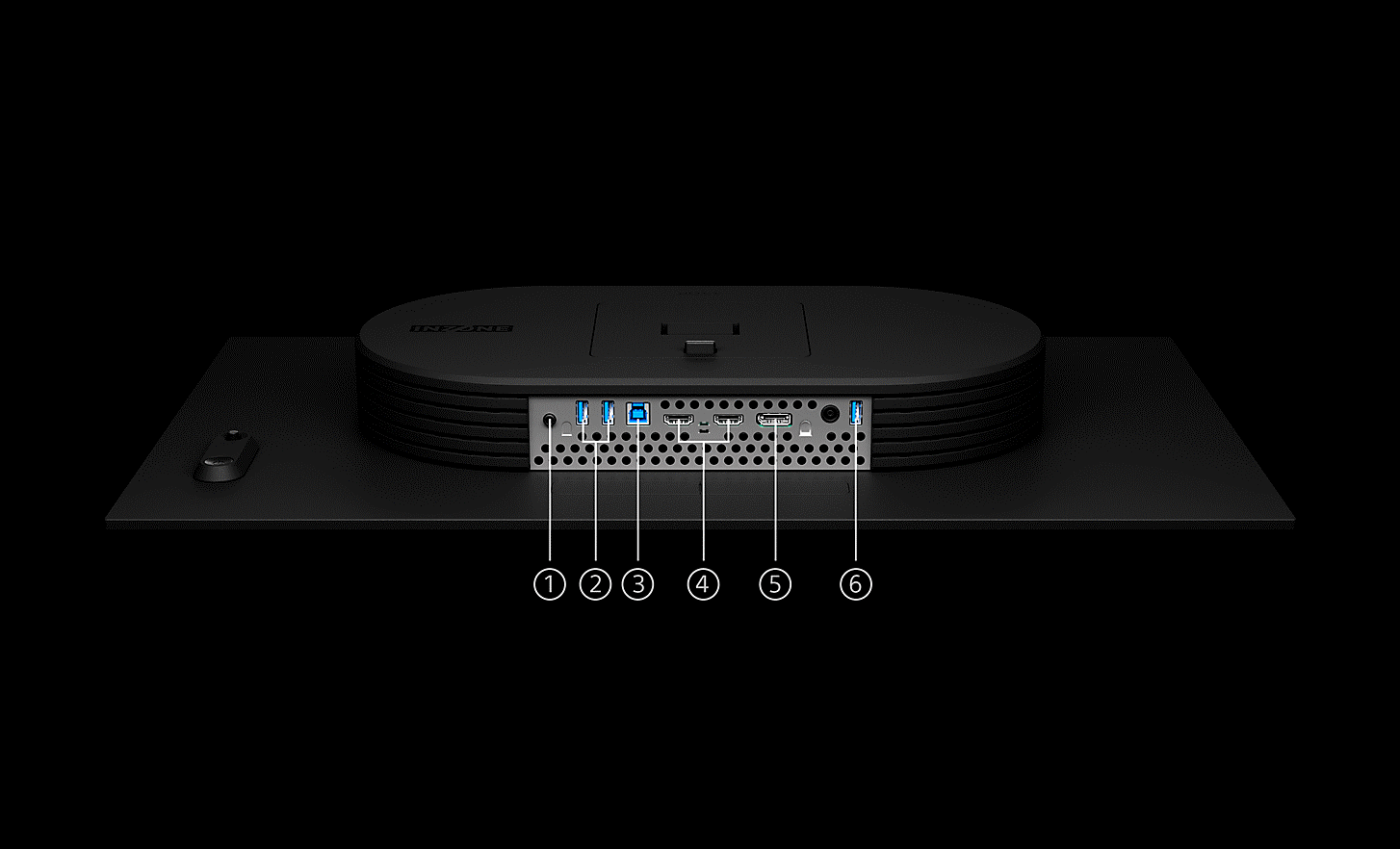
Sony’s input diagram identifies one DisplayPort 2.1 UHBR13.5 connection, two HDMI 2.1 inputs, two downstream USB-A ports and a USB-B upstream port. A further USB-A port is designated for software updates. There is no USB-C input in that connection list. A laptop setup that depends on a single USB-C connection therefore needs a separate plan for video, USB peripherals and power.
Read the monitor’s format table alongside the documentation for the output you will use. An HDMI label on both ends does not establish every resolution and refresh-rate combination. Sony’s support advice recommends the supplied DisplayPort cable for a PC and a suitable HDMI 2.1 cable for HDMI. It also recommends a direct connection when a converter or dock causes problems.
For a shared PC and console desk, list the mode each machine will actually use. Our PS5 display guide explains the console’s 1440p, VRR and ALLM choices. That background helps define your requirements before you compare them with this monitor’s documented inputs.
Motion settings come with conditions
The SDM-27Q102 Help Guide says Motion Blur Reduction makes Adaptive-Sync/VRR unavailable. Selecting the 720Hz HD mode also prevents Motion Blur Reduction from being set. Sony further warns that several choices, including enabling Motion Blur Reduction or disabling Adaptive-Sync/VRR, may increase video delay by up to about one frame. Sony describes these interactions in its documentation.
Treat a settings recommendation as a combination that needs its own evidence. A review’s observation under one configuration does not establish the result with every assist enabled. Ask which input, resolution, refresh rate and motion settings were active. The two reviews used here do not establish a shared firmware version and matching test configuration, so their observations cannot form a controlled comparison.
Leave marketing response-time figures out of an end-to-end latency comparison. A pixel transition, a refresh interval and the delay between your input and its visible result describe different things. This roundup provides no measured advantage for your aim or reaction time.
Give the stand a job too
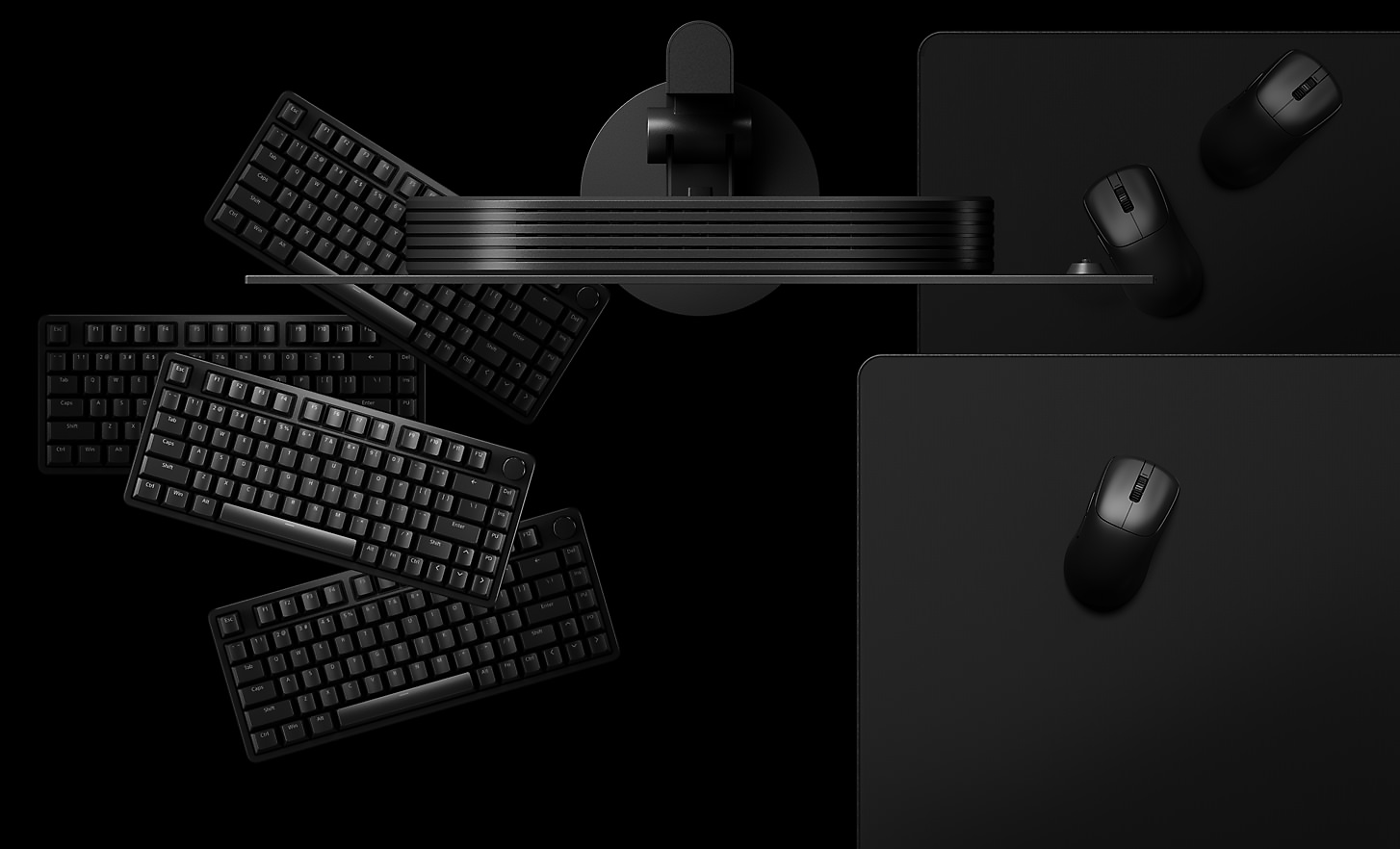
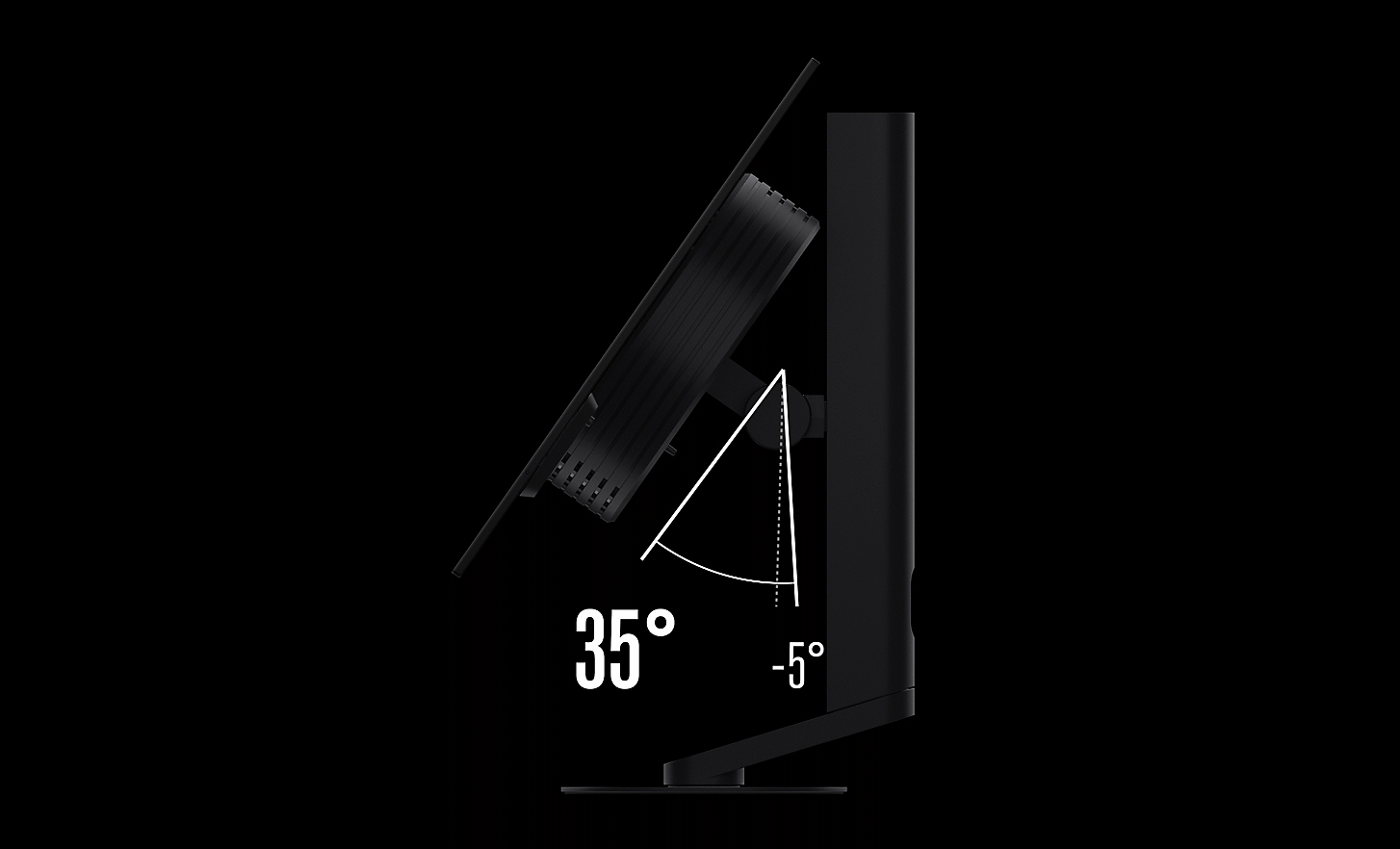
Sony documents a tilt range from minus five to plus 35 degrees and shows its compact, thin base accommodating different keyboard positions. Its product illustrations make the physical question easier to consider. Where would your keyboard sit, how far would the mouse travel, and how close would you want the screen?
Sketch that arrangement using your current desk before focusing on the display specification. Include the cables and the space behind the screen. If a large existing stand is the obstacle, compare the proposed arrangement with the one you already have. If your desk position already works, the Sony’s adjustment range has a less urgent job.
The exact-model guide also offers a 24.5-inch display mode with centre or bottom placement. That gives players another layout choice to investigate. It does not establish that a smaller active image, a particular tilt or a close seating position will suit every player.
Your next decision
Shortlist the M10S II when you can connect its documented features to a recurring need at your desk. Decide your game and mode, check the connection, consider the lighting, then choose which motion settings you would actually use. If those checks uncover no pressing limitation with your current display, keep using it. The strongest upgrade case is a specific problem this arrangement can address.
Sources and reporting limits
Reporting limits
The reviewed units were tested separately. Firmware, graphics hardware and measurement conditions were not aligned across the two accounts. Long-term panel wear and performance on your own PC remain untested here.
Sources
Sony SDM-27Q102 supported formats
Observed November 18, 2026. Exact-model English Help Guide. PC and CE tables distinguish HDMI from DisplayPort.
Sony SDM-27Q102 Gaming assist settings
Observed November 18, 2026. Exact-model restrictions on MBR, VRR and 720Hz mode. The possible delay is described by Sony, rather than measured by Gamer-Z.
Sony SDM-27Q102 printable Help Guide
2026 document, retrieved November 18, 2026. 53-page original PDF, document5-073-602-11(1). Pages26–27 settings and22 smaller display mode. Page numbers printed in document.
Observed November 18, 2026. Exact-model official UK product page, tilt and stand illustrations. Manufacturer marketing scene, not testing evidence.
Observed November 18, 2026. Exact SDM-27Q102 and numbered port diagram. Manufacturer connection list.
Sony INZONE M10S II product overview
Observed November 18, 2026. Official anti-glare description and SDM-27Q102 identity. Regional listing is not a US stock or launch claim.
Sony gaming-monitor frequently asked questions
Last Modified November 9, 2026. Sony support includes SDM-27Q102 in its model group and gives common connection advice.
Sony announces the INZONE M10S II
April 14, 2026. Manufacturer explains GPU and game dependence. UK and Europe announcement predates the recent reviews.
November 15, 2026. Original UK review of a loan unit, including work and Counter-Strike2. Publication date is given without a time. Firmware and full PC configuration are unspecified.
Thomas Glenk’s ComputerBild review
October 29, 2026, 06:31 displayed. Independent German laboratory and visual review. Displayed time lacks timezone. No common GPU, firmware or measurement protocol established with T3.
Further reading
FINAL FANTASY RESONANCE / PARTY BUILDING What stays when you switch a Vision?
David Bennett · · 3 minGuide Your next handheld starts with three games.
David Bennett · · 6 minGaming audio • Research-led buying guide Five Gaming Headsets Compared
David Bennett · · 16 min