WINDOWS STORAGE / BEFORE THE SETTING
Quick removal or Better performance? Read the obligation first
Before changing a Windows setting, decide which disconnection routine you can follow.
Source check: November 26, 2026 | By David Bennett
Read the decision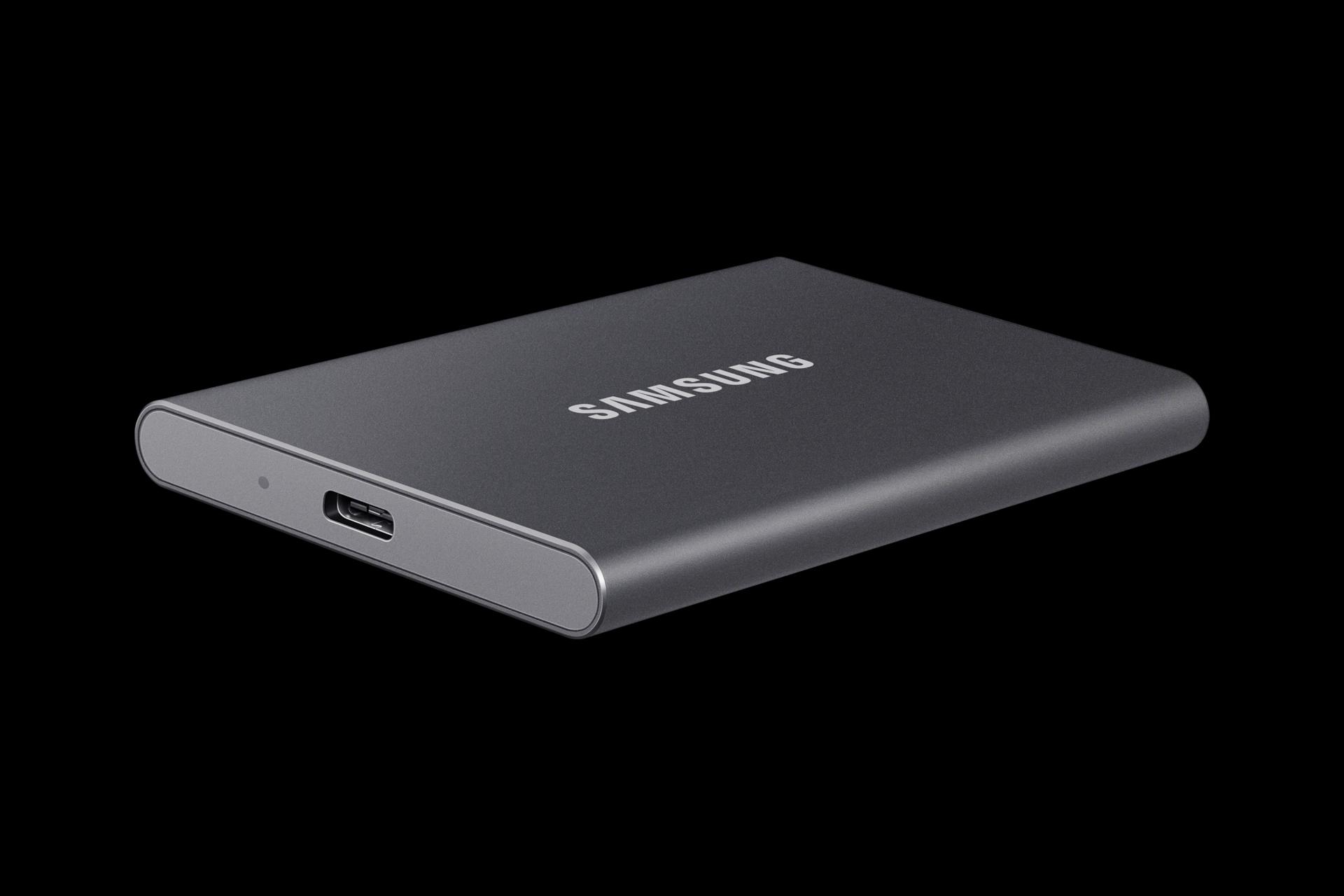
Samsung T7 promotional image. The drive is hardware context, not a tested recommendation.
Credit: Samsung. Official source
Quick removal and Better performance are Windows storage policies, not speed ratings. Better performance permits cached writes and requires safe removal. Check the actual drive configuration and its instructions before considering a change.
Separate the connection from the write policy
Microsoft's file-I/O documentation explains that Windows can hold file data in memory before writing it to disk. That is why a storage decision involves more than the connector on the drive. The caching policy concerns how writes are handled; it does not change the physical USB port, cable or drive into a different product.
For a player moving a game archive or recording between computers, start by naming the problem. Are you choosing how the drive handles writes, checking whether another computer can read its files, or looking for a faster connection? Those questions need different evidence. A setting called Better performance is not a substitute for identifying the bottleneck.
Credit: Microsoft. Official source
View full-size image
Inspect the actual device before considering a change
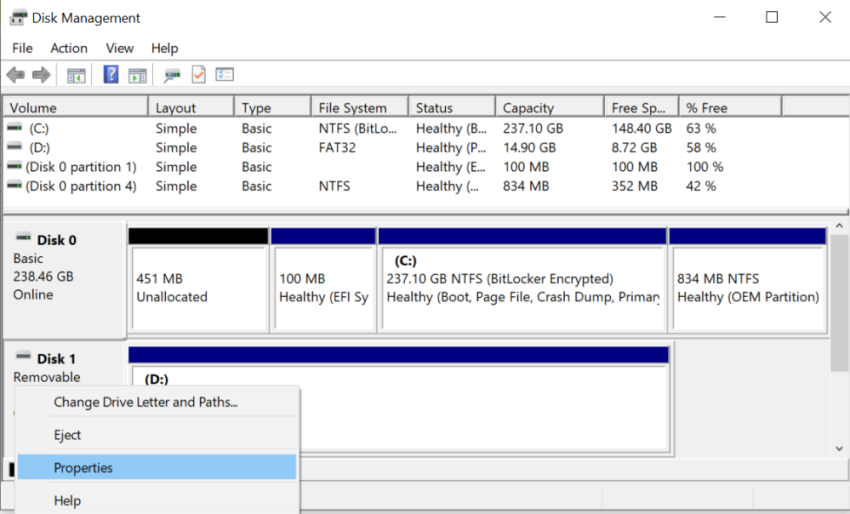
Microsoft documents Disk Management, the removable device's Properties, then Policies. If needed, use Hardware, select that drive and open Properties again. Its Windows 10/11 guide warns that tab arrangements can differ.
Match the drive by its label and device identity before using that route. The support image is an example, not a map of your disks. Record the existing policy and computer connection before considering a change. This is a documentary reference, not an installation walkthrough we executed, and it does not ask you to format or repartition anything.
Treat Better performance as an obligation, not a score
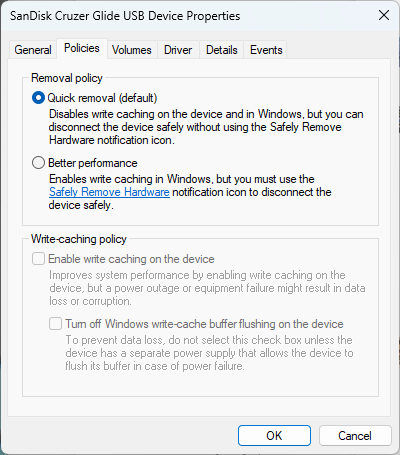
Quick removal disables Windows disk write caching. Better performance allows cached writes and requires Safely Remove Hardware before disconnecting. Microsoft also says a device's chosen policy persists when it is reconnected to the same computer port; do not assume another computer has that configuration.
Consider the practical choice rather than the flattering label. If you are not prepared to wait for safe removal every time, selecting a policy that requires it is a poor fit for your routine. We have no measurements showing that changing this setting improves a game's loading time, frame rate or a recording transfer. Leaving the existing policy alone is a valid decision when you have no diagnosed need to change it.
Credit: Microsoft. Official source
View full-size image
Use the removal confirmation as the checkpoint
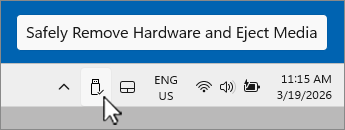
Microsoft's consumer support advises safely removing external storage before unplugging. Its Windows guidance uses the system-tray Safely Remove Hardware and Eject Media control: choose the intended device and wait for the Safe To Remove Hardware notification. The support page also explains how to find the control when the icon is hidden.
That gives you an observable checkpoint instead of a guess based on how long a copy appeared to take. Complete the work you are doing, then use the appropriate removal control. The icon image below identifies a documented control; it is not evidence that a drive was ejected during our reporting. This guide does not certify any device or session as ready to unplug.
A busy message is a reason to investigate
Seagate explains that an open program or file can prevent safe removal. Its support page includes open windows displaying the drive's contents among the possible causes. It recommends closing programs, files and those windows before trying removal again. That is a narrower check than assuming a busy message means the drive is defective.
If you were recording to the drive, copying files or using an application with content stored there, resolve that activity first. Do not use this article as permission to pull the cable through an error. If the message remains, consult current support for the exact device and Windows version. We are not reproducing the older operating-system tweaks elsewhere on Seagate's page.
Credit: Microsoft. Official source
View full-size image
Keep the device instructions with the policy decision
The pictured Samsung T7 has its own manufacturer instructions: its manual calls for Safely Remove Hardware for each disconnection. Keep that requirement in your plan. A Windows policy description is not a reason to discard the instructions for the device you actually own.
Before any future change, preserve a note of the original choice and the reason for changing it. Returning a setting to its prior value would not recover a file lost earlier. For an unexplained error or an uncertain device requirement, stop at the documented checks and ask the manufacturer for the matching guidance. No formatting, repair or recovery operation is part of this decision guide.
Your next decision
Choose a policy around the obligations you can follow, not an assumed speed gain. Identify the device, keep its instructions, and use the documented removal confirmation before disconnecting.
Sources and reporting limits
Based on current Microsoft documentation, the Samsung T7 manual and a bounded Seagate troubleshooting passage, checked November 26, 2026. Manufacturer illustrations were inspected; no storage operation was tested.
This explains a documented decision, not measured hardware performance. Microsoft illustrations show example devices and layouts; exact tabs can vary. Seagate legacy-system tweaks are excluded.
- Microsoft: removal-policy choices
- Microsoft: safely remove hardware
- Microsoft: buffered file writes
- Seagate: drive busy or in use
- Samsung T7 user manual
Sources checked November 26, 2026.
Further reading
FINAL FANTASY RESONANCE / PARTY BUILDING What stays when you switch a Vision?
David Bennett · · 3 minGuide Your next handheld starts with three games.
David Bennett · · 6 minGaming audio • Research-led buying guide Five Gaming Headsets Compared
David Bennett · · 16 min