STEAM / INSTALLATION VERSUS PROGRESS
Steam local transfers move game files, not your saves
Reusing an installation and carrying your progress to another PC are separate jobs.
Source check: November 21, 2026 | By David Bennett
Read the decision
Historical official Steam Library artwork provides client-library context. It does not demonstrate a local transfer or Cloud synchronization.
Credit: Valve. Official source
Steam local transfers reuse installed game files; they do not migrate your saves. Check personal progress separately through the game’s Cloud or backup process.
Separate installation from personal progress
An installed game and a current save are different things. Steam Cloud can synchronize supported user data, while backups preserve copies for later recovery. Decide which job you need before choosing a tool. Reinstalling software is not the same as recovering the session you want to keep.
For example, keep a note of the game, the account and the machine holding your latest progress. If the destination opens an older save, diagnose that save’s location or synchronization instead of assuming another installation transfer will recover it.
Credit: Valve. Official source
Check whether the sender is eligible
Both clients must be online on the same LAN, with matching permissions. The released game must be playable by both users and current on an idle sender. Valve allows Steam Deck or Steam desktop mode to host; Big Picture and custom launchers cannot send.
Keep transfer permissions narrow
Valve offers Off, Only my own devices, Only my friends and Any user. Transfers work both ways. Broader access can disclose installed games on the LAN. For your own machines, use the own-devices option; restore your preferred narrower permission after temporary sharing.
Credit: Valve. Official source
Check Cloud before opening the destination save
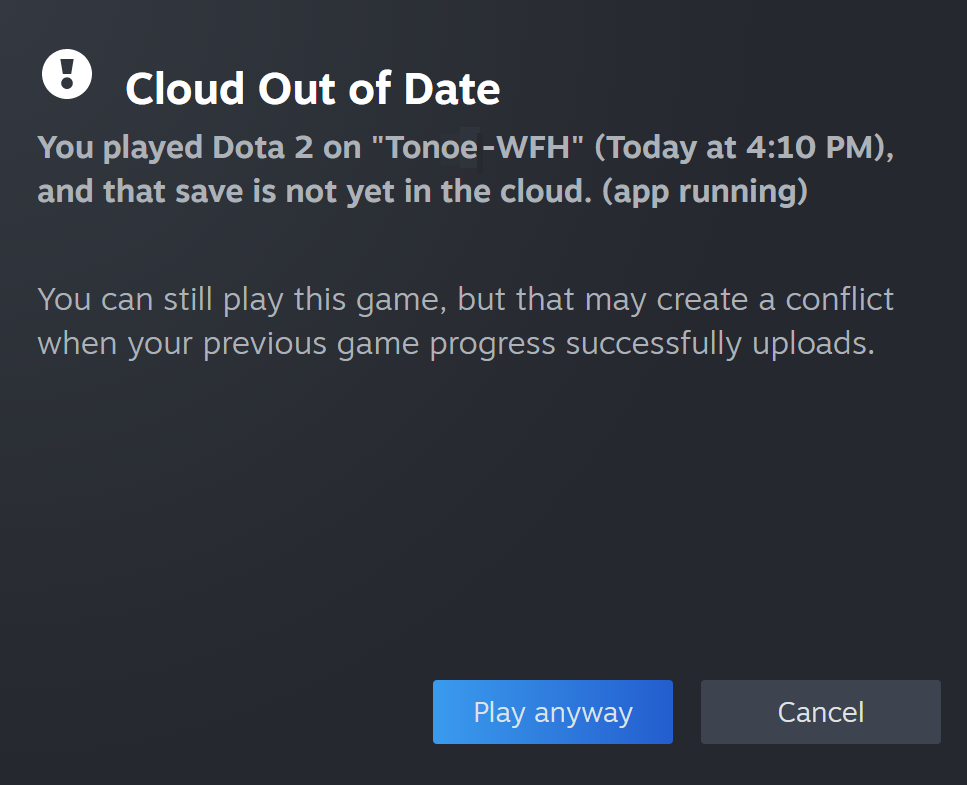
Steam Cloud support varies by game, including support across operating systems. Check the developer’s documentation for the specific title before treating a Cloud logo as proof that a Windows save will work elsewhere.
If Steam reports a conflict, identify which device contains the progress you want and preserve that local copy before choosing a version. A completed install does not resolve conflicting save data. Valve warns that Steam Support generally cannot recover lost saves. Stop and clarify the data before repeatedly launching on different machines.
Preserve what the installation backup leaves out
Valve’s backup tool is not a universal save archive. Many games using third-party installers are incompatible, and Valve-game backups exclude saves, custom maps and configuration files unless separately preserved. Other developers choose their own save locations. Follow that game’s documented backup advice.
Keep the original machine’s data until the destination has the progress you expect. Storage migration is another separate procedure: Valve’s moving guide distinguishes game installations from user saves and warns that a failed move without a backup may require reinstalling game files. Do not delete your only working save because the installation can be downloaded again.
Credit: Valve. Official source
Recognize a transfer without mistaking it for recovery
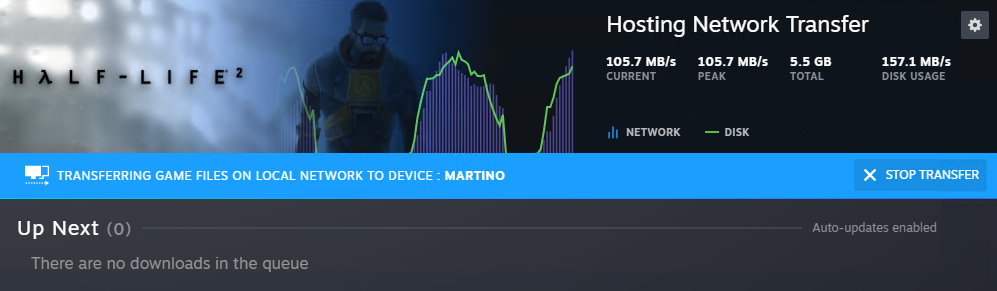
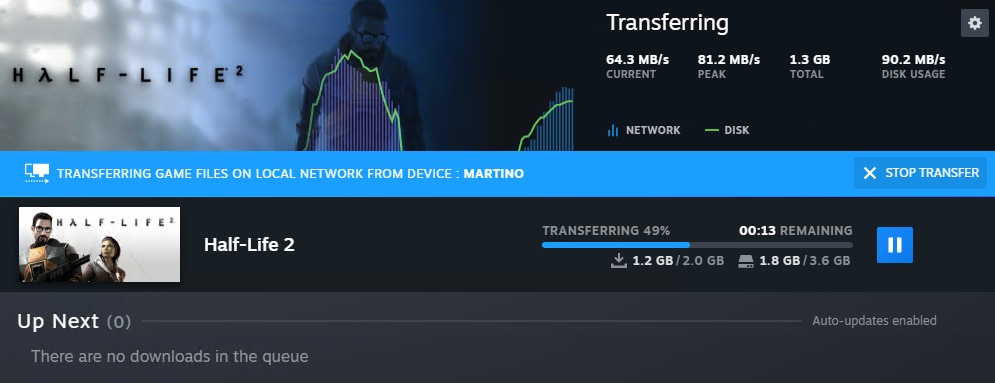
Active local transfers appear on Steam’s Downloads page. Steam can fetch remaining content from public servers if the local source disappears. Internet traffic therefore does not prove that no local transfer occurred.
If eligibility checks do not explain a failure, ask the network administrator to review the official requirements. Avoid disabling protection wholesale. A useful migration result is a playable installation and separately verified personal progress. This guide supplies a documentation-based decision check, not measured network performance or a tested save-restoration procedure.
Your next decision
Reuse game files where eligible; verify saves separately and retain the originals until both checks succeed.
Sources and reporting limits
This is an explainer based on Valve’s current support documentation, checked November 21, 2026. Valve supplied the interface examples; Gamer-Z-Paradise did not execute a device-to-device transfer or benchmark a network.
No universal save location, guaranteed transfer rate, game-specific cross-save compatibility or recovery promise is implied. Current client labels and title-specific behavior can change.
- Valve: Local Network Game Transfers
- Valve: Steam Cloud
- Valve: Using the Steam Backup Feature
- Valve: Moving a Steam Installation and Games
Sources checked November 21, 2026.
Further reading
FINAL FANTASY RESONANCE / PARTY BUILDING What stays when you switch a Vision?
David Bennett · · 3 minGuide Your next handheld starts with three games.
David Bennett · · 6 minGaming audio • Research-led buying guide Five Gaming Headsets Compared
David Bennett · · 16 min