ASUS AIMESH / CLIENT VERSUS MESH PATH
AiMesh binding is not a permanent node lock
Choose the behavior you need before changing a client preference, roaming control or mesh uplink.
Source check: November 28, 2026 | By David Bennett
Read the decision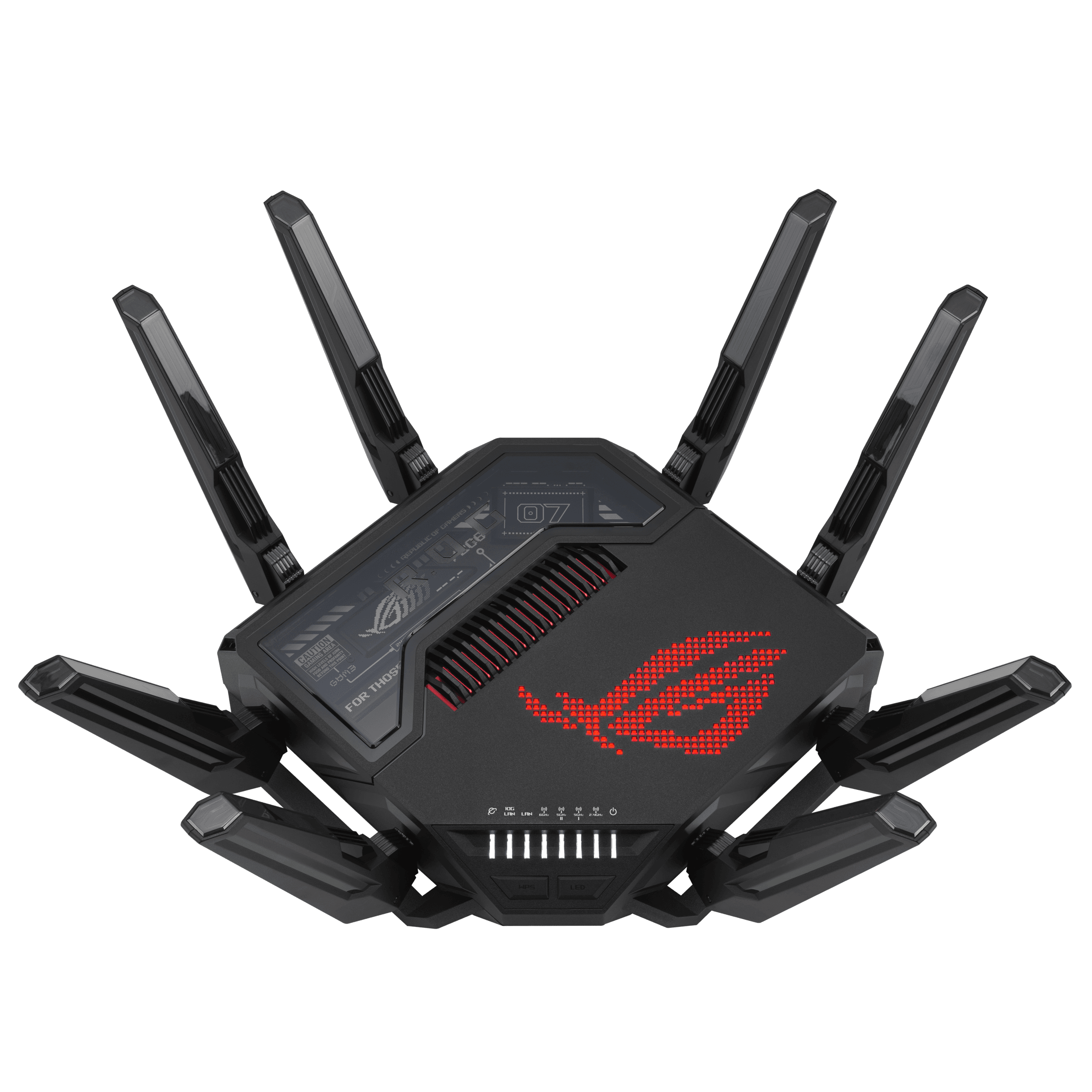
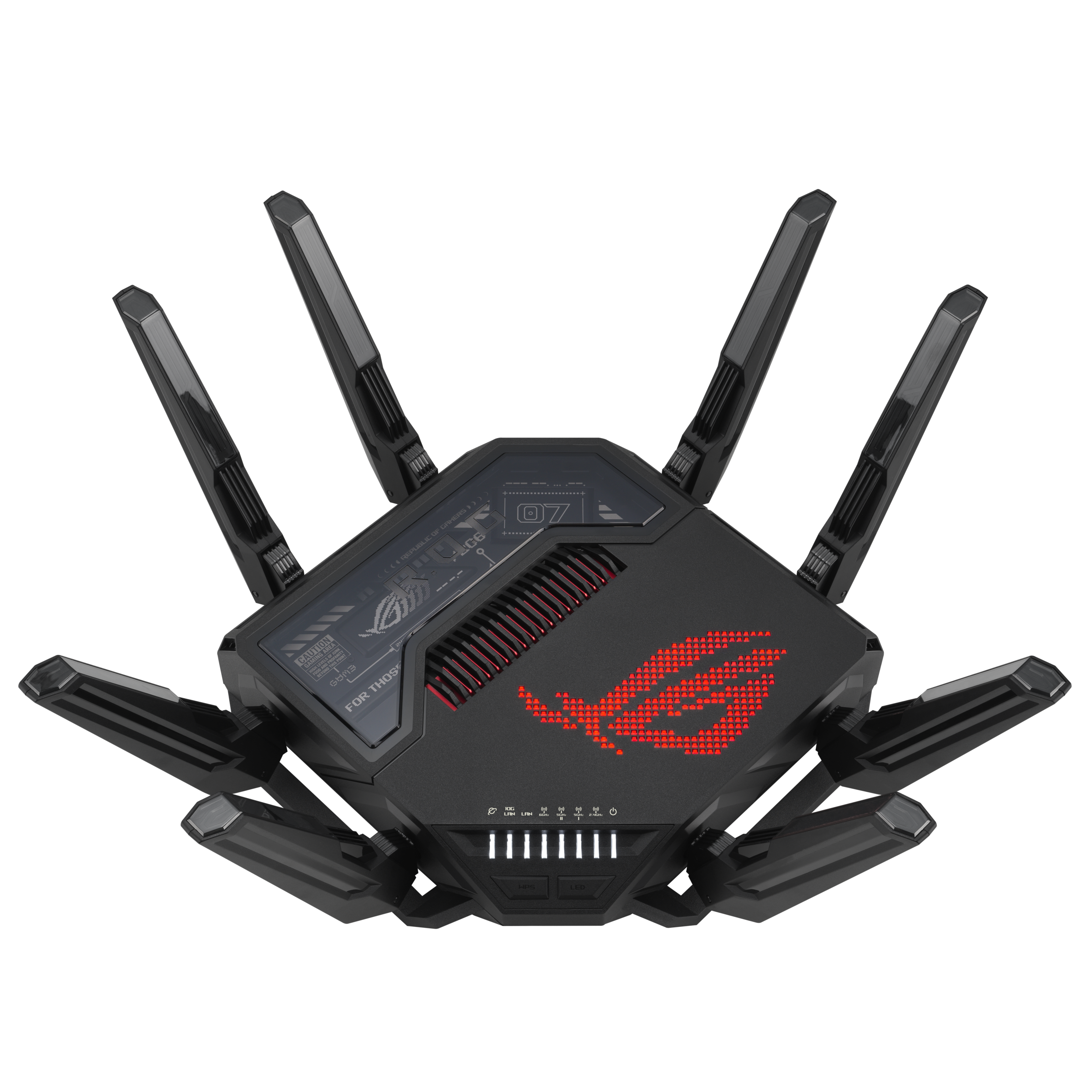
ASUS GT-BE98 promotional hardware, not a tested network.
Credit: ASUS
Official source | View complete original imageBinding is a node preference with documented fallback. Roaming Block List stops AiMesh-triggered roaming, but does not stop the device roaming itself.
Identify the client and the mesh device first
ASUS separates the client connection from the mesh connection. In its AiMesh 2.0 introduction, Clients lists connected end devices, while Network Information distinguishes fronthaul, for end devices, from backhaul, between the router and nodes. Selecting a mesh device in Topology also exposes its model, firmware and uplink information. That is a useful starting point when several boxes have similar names.
Write down which device is the gaming PC and which is the access point you want it to use. A location label such as Home is not enough if several nodes share it. Before choosing a control, ask whether the intended change concerns the PC's association or the route taken by a mesh node. Both can involve choosing another box, but they are different decisions. This guide explains those decisions; it does not report a configuration we performed.
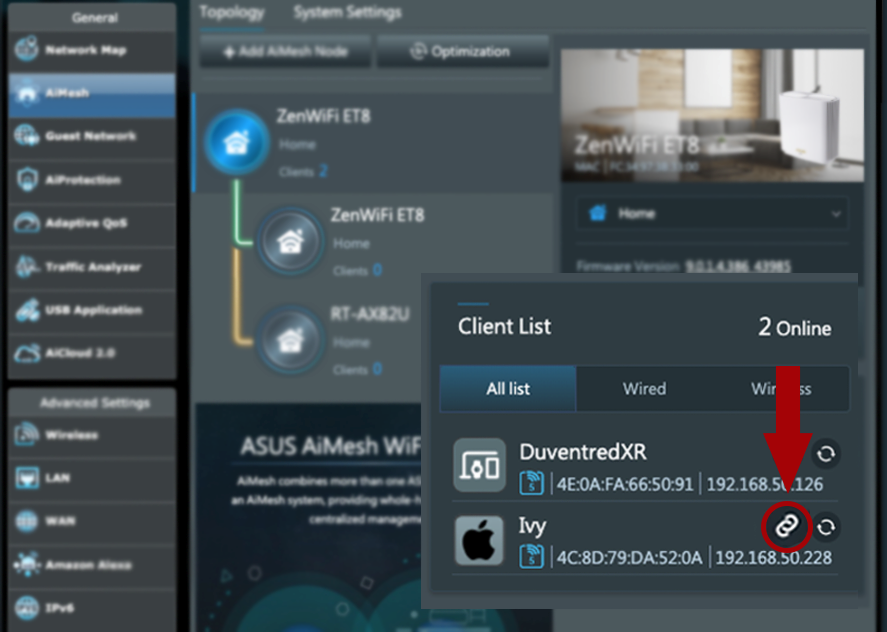
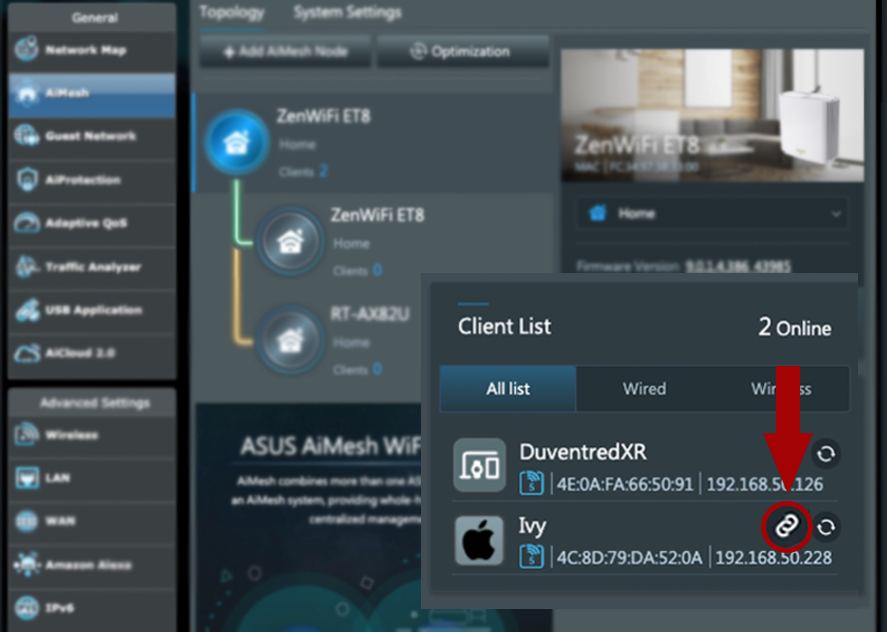
ASUS binding-control excerpt.
Credit: ASUS
Official source | View complete original imageTreat client binding as a preference with exceptions
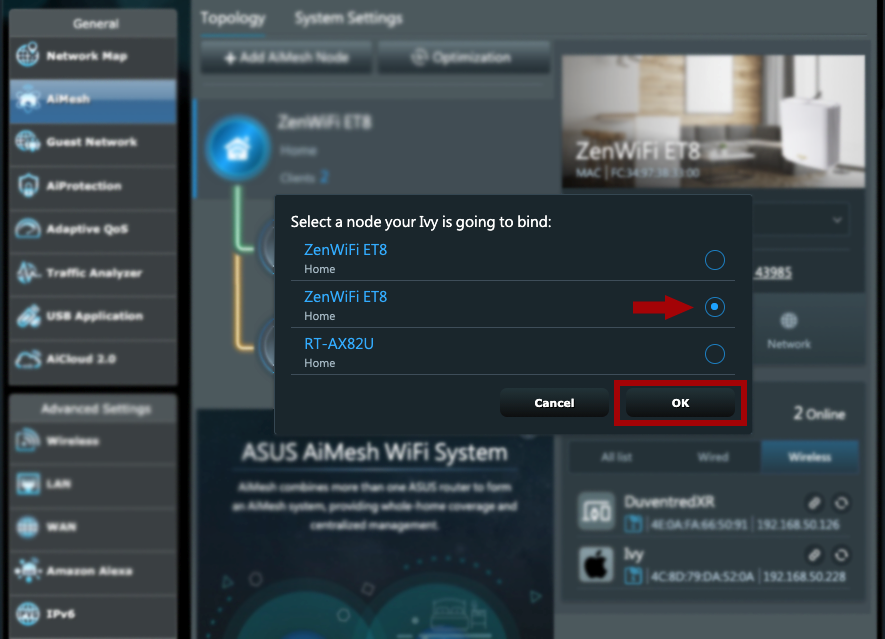
ASUS requires firmware later than 3.0.0.4.386.xxxx; ZenWiFi AC Mini CD6 and ZenWiFi AC CT8 are excluded. It documents Unbind and reconnection elsewhere when a node is off or a weak connection goes offline.
Choose binding for a client-to-node preference. The icon does not prove permanent association or better game performance.
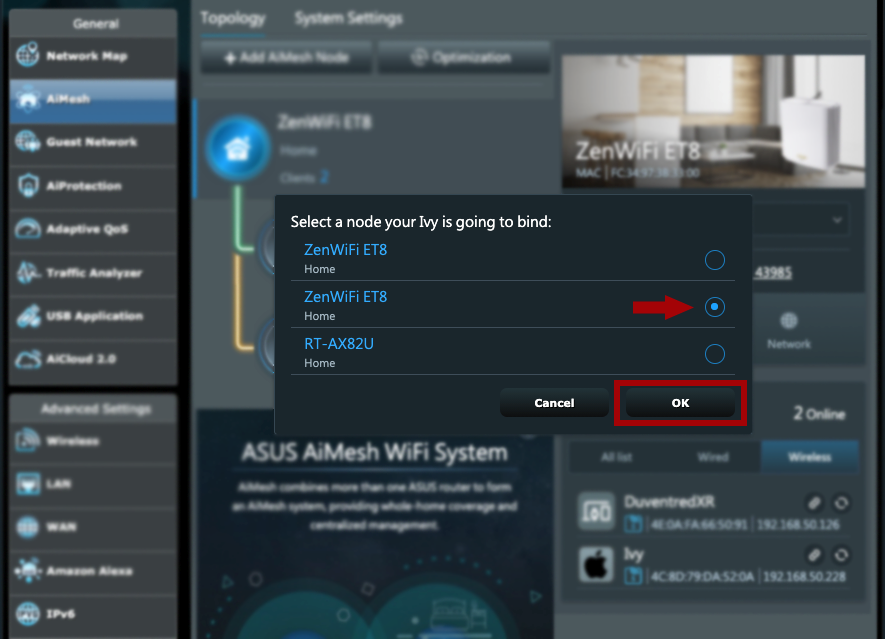
ASUS node-choice excerpt.
Credit: ASUS
Official source | View complete original imageRoaming Block List does not lock the client
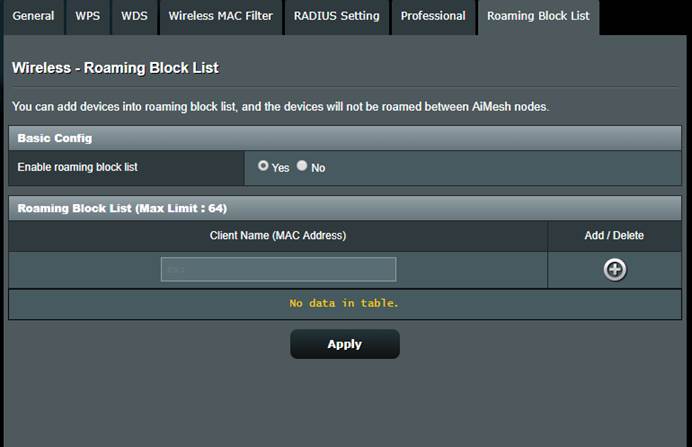
ASUS says its Roaming Block List stops AiMesh from triggering roaming for listed devices; the device can still roam itself. The documented Apply action also requires a router reboot.
That is a narrower behavior than permanently pinning a PC to a node. Choose this feature only when its system-triggered roaming restriction matches your aim. If you decide to investigate it, account for the documented interruption rather than experimenting during somebody else's active session.
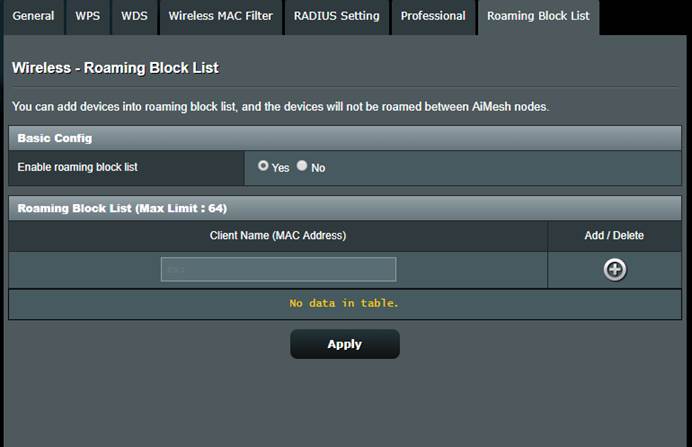
ASUS Roaming Block List example.
Credit: ASUS
Official source | View complete original imageKeep Roaming Assistant separate from either choice
Roaming Assistant addresses a client that remains connected to an access point despite a weak signal. ASUS describes a signal-strength threshold below which the client is disconnected so it can connect to a stronger signal. Its documentation exposes this as a separate Wireless setting. A threshold-based disconnection mechanism is not the same decision as choosing a client's preferred node or excluding it from AiMesh-triggered roaming.
If your complaint is that a stationary PC changed nodes, first describe that event accurately. If the complaint is that a moving device stays with a weak connection, that is another question. Avoid changing all three controls together: you would lose track of which documented behavior you meant to affect. We have no measurements establishing a suitable threshold for your room, adapter or game, and this article does not recommend a number.
A preferred uplink changes the mesh node's route
ASUS separately documents Preferred WiFi Uplink AP, which selects an uplink for an AiMesh node. Its FAQ warns that the configured node and its end devices temporarily lose signal while the choice is adopted. It also lists exceptions, including a wired node connection or a preferred uplink that is off, offline or too weak, when the system can select another access point.
This helps distinguish two similar-looking requests. Asking a PC to prefer the study node is a client-binding decision. Asking the study node to connect through another mesh device is an uplink decision. Neither name alone proves the whole route is wired or that a game will improve. If your concern is a cable or the node-to-router link, investigate that path directly instead of using a client preference as a substitute.
Keep the original state and the exact model instructions
ASUS's node-firmware guidance says a connected node is managed through the AiMesh router. Its Firmware Update view can show the node information; if that information is absent, ASUS first directs the reader to check whether the node is connected. This is a useful identification check before treating a missing option as a reason to replace equipment. A firmware update is a separate operation with its own model-specific instructions.
For this decision, keep a note of the PC identity, node model, current firmware, intended connection and original preference. If the documented feature is unavailable or its exception conflicts with your goal, leaving the configuration unchanged is a valid outcome. Before a future change, retain the previous value and the matching ASUS instructions for reversing it. Do not factory-reset the network merely to make the screens resemble the examples shown here.
The decision
Name the intended behavior first: client preference, system-triggered roaming restriction or mesh-node uplink. Check the exact model and exceptions, preserve the original state, and leave unrelated controls alone. No setting label proves an improvement in game performance.
Method and limits
Documentation-based decision guide using current ASUS support pages, checked November 28, 2026. Official hardware and interface images were inspected. No router settings, firmware, roaming events or game performance were tested.
ASUS examples depict older interfaces and named example devices. Menus and supported functions vary by model and firmware. The promotional GT-BE98 image is hardware context, not a tested recommendation or a universal feature guarantee.
Sources
Keep reading
Further reading
FINAL FANTASY RESONANCE / PARTY BUILDING What stays when you switch a Vision?
David Bennett · · 3 minGuide Your next handheld starts with three games.
David Bennett · · 6 minGaming audio • Research-led buying guide Five Gaming Headsets Compared
David Bennett · · 16 min