Monster Hunter Rise: Where to Download and How to Install
Get Monster Hunter Rise from your platform’s official store and install it through your library. Sunbreak is an expansion that requires the base game.
Choose your official download
Start with the device and account you plan to use. Monster Hunter Rise is sold through Steam, Nintendo eShop, PlayStation Store and the Xbox/Microsoft storefront. The PC version sold through Steam and the one offered through Microsoft are different purchase paths. An Xbox Play Anywhere purchase does not give you a Steam copy.
- Steam for Windows PC: choose the base game or a bundle that explicitly includes Rise.
- Nintendo eShop: the product is the Nintendo Switch version. Nintendo also lists Switch 2 compatibility; that does not mean you are buying a separate enhanced edition.
- PlayStation Store: the base-game listing includes PS4 and PS5. Select the version for your console when downloading.
- Xbox and Windows: Microsoft's listing supports Xbox One, Xbox Series X|S and PC, with Xbox Play Anywhere.
The console-store links use US pages; Steam may show your local store. If your account uses another region, switch to its local store and confirm the platform and included items before paying. The links are official stores, not offers from the Gamer-Z-Paradise item marketplace.
Rise, Sunbreak and Deluxe are different purchases
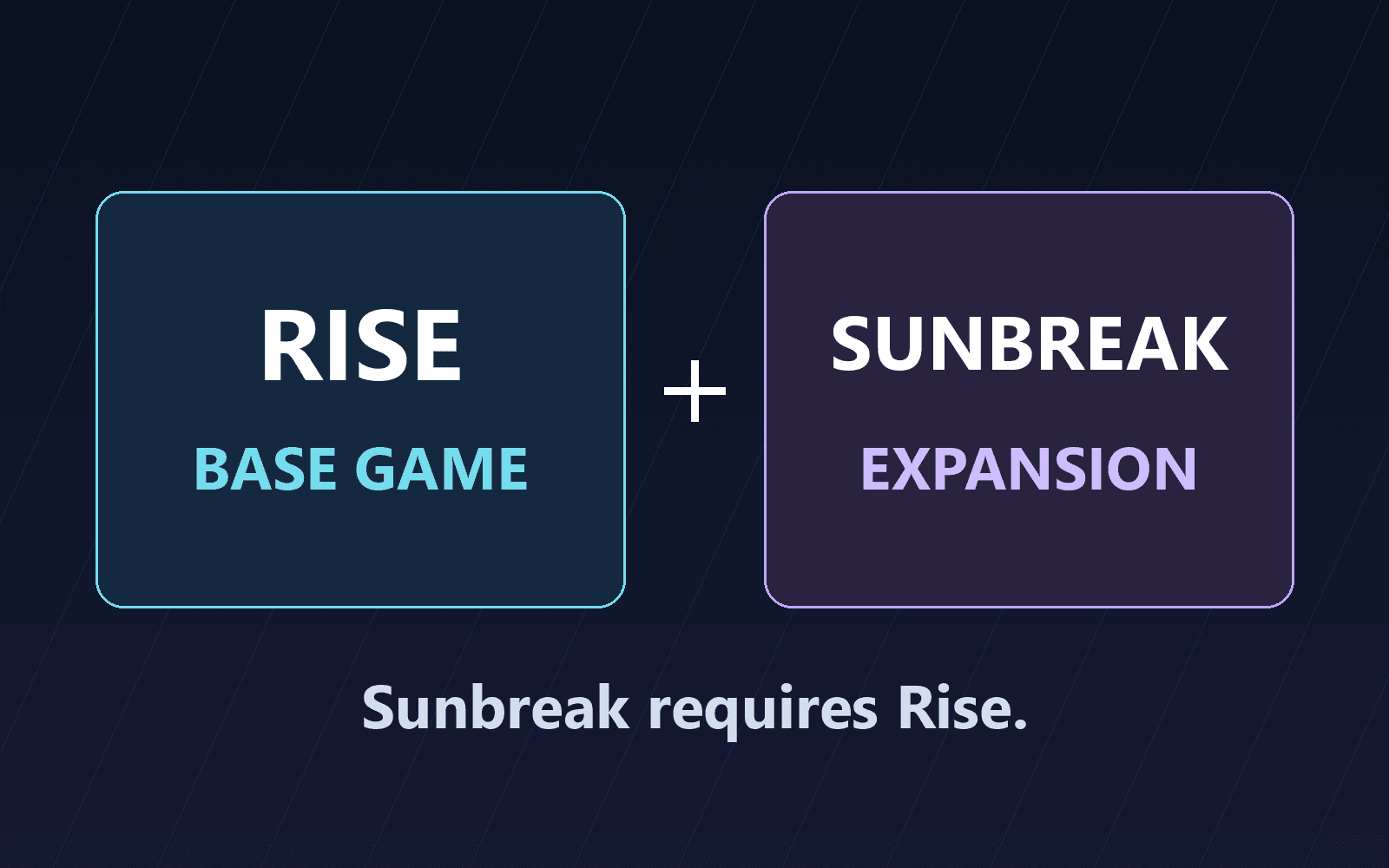
Rise is the base game. Sunbreak is an expansion that requires Rise; it is not a standalone replacement for it. On Steam, the Sunbreak listing specifically requires the Steam base game.
If you own neither, compare the base game with a bundle explicitly named Rise + Sunbreak. If you already own Rise, look for the matching Sunbreak expansion on the same platform and storefront. Check compatibility carefully if you own a physical copy or use a different account region.
Do not assume that Deluxe means the expansion is included. For example, PlayStation's Rise Deluxe Edition adds the Rise Deluxe Kit, while its Rise + Sunbreak bundle includes the expansion. Read the included-items list instead of relying on the largest artwork or the edition's name alone.
A Sunbreak demo is also different from either paid product. If a storefront offers the demo, that button does not download the complete Rise game.
Before you install
Use the account that owns the game, or the account on which you intend to buy it. Check its library first to avoid paying for a second copy unnecessarily. For PC, open the storefront's current system requirements before purchasing; enough storage alone does not establish that your computer can run the game.
Check available space on the intended device and allow room for updates. Store listings can describe installation space or game file size rather than the amount your connection will download, so there is no single download-size figure that applies to every platform.
If you plan to hunt with friends, confirm their platform and storefront before choosing yours. Xbox Play Anywhere supports eligible digital Xbox/Windows purchases and shared progress through the purchasing Microsoft account. Do not assume that ownership or saves move to Steam or another console ecosystem.
Find the game in your library
- Open the official store for your platform and check that the selected product includes Monster Hunter Rise. Sign in with the account you intend to keep using and complete the purchase only after checking the edition, region and device requirements.
- Open that account's game library on the device where you want to play. Select Rise and its download or install action. If you already own it, begin here rather than buying it again.
- Let the download and any required update finish, then launch the base game. Confirm that the game opens before troubleshooting an expansion separately.
The library path varies by platform:
- Steam: use the Steam client's Library. Steam's installation help explains how purchases and downloads attach to your account.
- Nintendo Switch: use the purchasing account's Virtual Game Cards when loading an already-owned digital game. Nintendo's digital purchase guidance explains the current ownership and loading process. Its eShop purchase instructions cover a new purchase.
- PS5: open Game Library, then Your Collection, select Rise and choose Download. On PS4, use Library, then Purchased. PlayStation's download guide also explains where to find add-ons.
- Xbox or Windows: sign in with the purchasing Microsoft account. Xbox Play Anywhere identifies My Games and Apps on console and My Library in the Xbox app on PC as the places to find eligible games.
If the download is missing or will not start
If Rise is absent from your library, check the signed-in account and the purchase's storefront first. A Steam purchase will not become an Xbox app entitlement. Also check whether the item you bought was the base game, an expansion or a cosmetic kit.
If the installation stalls, check free space, the download queue and the platform's error message before buying anything again. Use the linked platform help for the exact error. Microsoft's download and installation support covers finding purchases and installing them through Microsoft Store.
If the base game works but Sunbreak is missing, verify that the expansion matches the installed version and look for it in the platform's add-on area. Owning a cosmetic Deluxe Kit is not proof that you own Sunbreak. Keep receipts available for platform support, but never post account credentials or purchase details in public comments.
What this guide covers
This is a documentation-based explanation of official purchase and installation paths, checked September 7, 2026. We did not perform a fresh installation on each platform. Prices, demos, subscription catalogs and menu wording can change; the current product page and your account's library control what you can download.
Start with the platform you actually use, make sure the purchase includes Rise, and add Sunbreak only through a compatible edition or expansion. That avoids the most consequential mistake: paying for an add-on when you still need the game itself.
Editorial and image disclosure: The original edition diagram shows how the base game and expansion relate. Installation was not tested for this guide. David Bennett is the author and editor of record. Official sources are linked beside the relevant explanations. No affiliate links are included. Article and links should be rechecked when storefront availability, editions or platform download procedures change.
Images
The edition diagram is an original editorial illustration.
Update log
Every substantive change to this article, newest first. Only these move the modified date.
- Update· David Bennett· v5
Simplified the image note while retaining the guide’s testing scope, author and source information.
- Correction· David Bennett· v4
Removed production-process attribution while preserving image, authorship, source, testing, and affiliate disclosures.
- Update· David Bennett· v3
Article approved and published.
Further reading
FINAL FANTASY RESONANCE / PARTY BUILDING What stays when you switch a Vision?
David Bennett · · 3 minGuide Your next handheld starts with three games.
David Bennett · · 6 minGaming audio • Research-led buying guide Five Gaming Headsets Compared
David Bennett · · 16 min