DISCORD / SAVE BEFORE YOU SHARE
A saved Discord Clip is not a shared message
Decide what to keep, what to include and who should receive it. Those are three different decisions.
Source check: November 23, 2026 | By David Bennett
Read the decision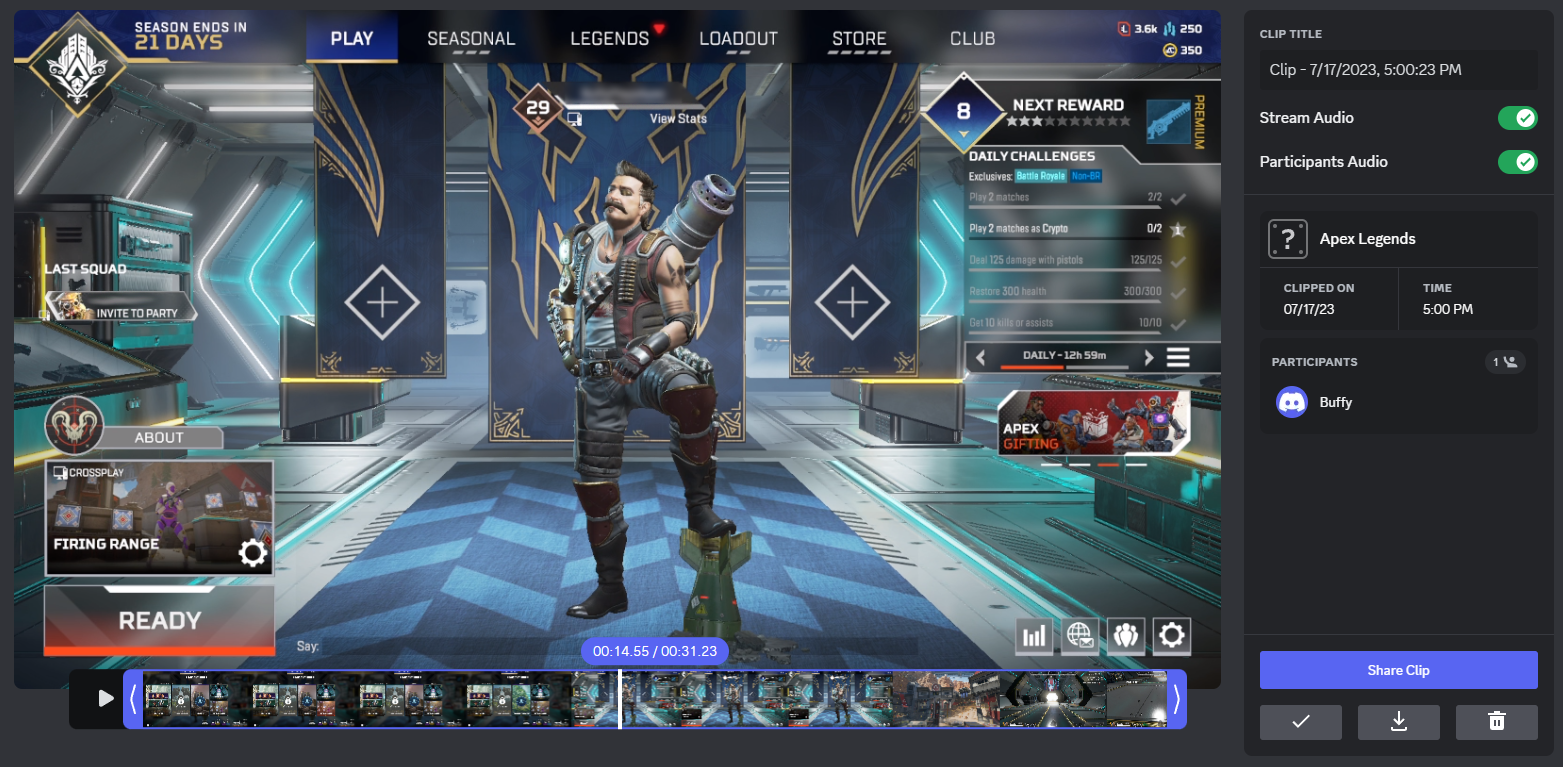
Official example, retaining its July 2023 date.
Credit: Discord. Official source
Discord Clips stay local until shared. Treat the file, soundtrack and destination message as separate decisions.
First decide whether this moment needs an audience
A funny win can be worth keeping without becoming a server announcement. Decide whether your goal is a personal reminder, a small-group joke or something suitable for a larger channel. Starting with that decision avoids using the final send button as a way to discover what the editor does.
Clips currently requires Windows and Nitro Early Access. Check availability before planning around another device.
For a sensitive conversation, agree with the people involved before preparing a share. Treat that as a social decision, not something an audio switch can settle for everybody. If agreement is unclear, keep the moment private or leave it unshared.
Check the live session before expecting a useful recording
Discord documents screen sharing through an application window or an entire screen. In a server, the Video permission controls the ability to stream. A missing stream option can therefore be a permissions question rather than a reason to change recording settings.
The Clips instructions specify Application streaming for game audio. Do not infer that a stream your friends can watch guarantees the exact saved soundtrack you wanted. Define a small, non-sensitive check before relying on an important session.
Your check should answer a practical question: can you identify the intended moment and understand it on playback? If not, stop planning the public post. Improving the story or choosing another moment can be more useful than collecting a longer file.
Keep the file decision separate from the posting decision
Storage Location identifies where Clips are saved. Record that location before reorganizing folders or cleaning up a machine.
Choose a name and destination that will still make sense after the excitement of the match. If the moment matters, verify the intended local file separately; seeing a thumbnail in a picker is not your personal backup plan. Do not delete the only copy while deciding whether the joke is worth posting.
A useful personal checklist is modest: the right match, the right part of the moment and an understandable name. None of that requires a public audience. Leave sharing for the point at which you have reviewed the actual material and selected the recipient.

Credit: Discord. Official source
View original image
Review the soundtrack as well as the picture
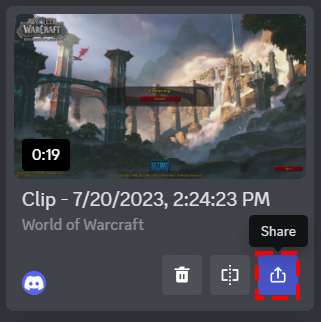
Use the conversation’s plus button > Share a Clip. Hover the saved clip and choose Edit. Review game/voice audio. The checkmark saves; Share Clip sends.
Review what a viewer would understand without having been in the call. Background conversation may be irrelevant to the play even when everybody enjoyed it live. Ask whether the video still tells the story with less audio, or whether it should remain a private memory.
The illustration labels its switches Stream Audio and Participants Audio. This guide does not certify consent, restore missing voices or promise a universal voice opt-out. Match the current control to the actual purpose.
Credit: Discord. Official source
View original image
Choose the destination and inspect the resulting message
For an ordinary attachment, Discord documents the plus button and Upload a File in the target conversation. Selected files and accompanying text are sent together. Its attachment FAQ warns that upload limits can vary; check the current limit rather than assuming a failed upload means a broken recording.
Pause on the destination before sending: is this the intended channel or person, and does the caption explain the moment? Avoid using a busy channel as a test destination. If you only need to confirm the edit, review it locally first.
After an intended share, look for the expected message in the expected conversation. A saved edit, a selected attachment and a posted message are different success states. If that final state is absent or the result is unclear, investigate before repeating the send and creating an unwanted duplicate.

Credit: Discord. Official source
View original image
Make cleanup the last step
Deleting a Clip is irreversible and removes its local file.
Decide what to retain before using deletion as tidying. Keep an important personal copy independently verified, then consider unwanted material. Do not treat cleanup as a way to retract every copy that another person might already possess.
If the controls or account availability differ from the documented examples, stop at the mismatch and consult current Discord support. Do not buy a subscription, alter permissions or delete material merely to make an unfamiliar screen resemble an older screenshot. This is a planning guide, not a tested recovery procedure.
Your next decision
Keep the local file, edit and message as separate checkpoints. Review the intended audience and soundtrack before sending, and postpone deletion until you know what you want to keep.
Sources and reporting limits
Source-based decision guide from current Discord documentation, checked November 23, 2026. No stream, recording, subscription, account setting or message send was executed.
Official screenshots illustrate publisher examples, including July 2023 clip dates. Availability and interface wording can change. This guide does not certify consent, restore deleted files, promise voice opt-out coverage or provide a measured performance assessment.
- Discord Support: Clips
- Discord Support: Go Live and Screen Share
- Discord Support: File Attachments FAQ
Sources checked November 23, 2026.
Further reading
FINAL FANTASY RESONANCE / PARTY BUILDING What stays when you switch a Vision?
David Bennett · · 3 minGuide Your next handheld starts with three games.
David Bennett · · 6 minGaming audio • Research-led buying guide Five Gaming Headsets Compared
David Bennett · · 16 min