How to build a gaming setup, in the order that matters

Gaming news, hands-on reviews, and guides from the island — written by players who bought the thing, not by press releases.
Loading The Wire

Almost every bad setup is the same mistake: the visible parts were bought first. Lighting, keycaps, and a second monitor are all cheap dopamine. The chair and the desk are the two things you physically contact for the entire session, and they are the two things that are painful to replace once you own them.
Work through the steps in order. Stop when the money runs out. A good chair and a plain desk beats a bad chair and an LED-lit one every time.

Buy the best chair you can afford before you spend anything on aesthetics. What you are paying for is lumbar support that matches your spine, a recline that lets you change position, and a frame that does not sag in year two. Racing-style chairs like Furgle's GPRO are the common entry point because they combine adjustable lumbar support with a recline range wide enough to sit back in — sit in one before you commit if you can, because torso length matters more than the specification sheet.
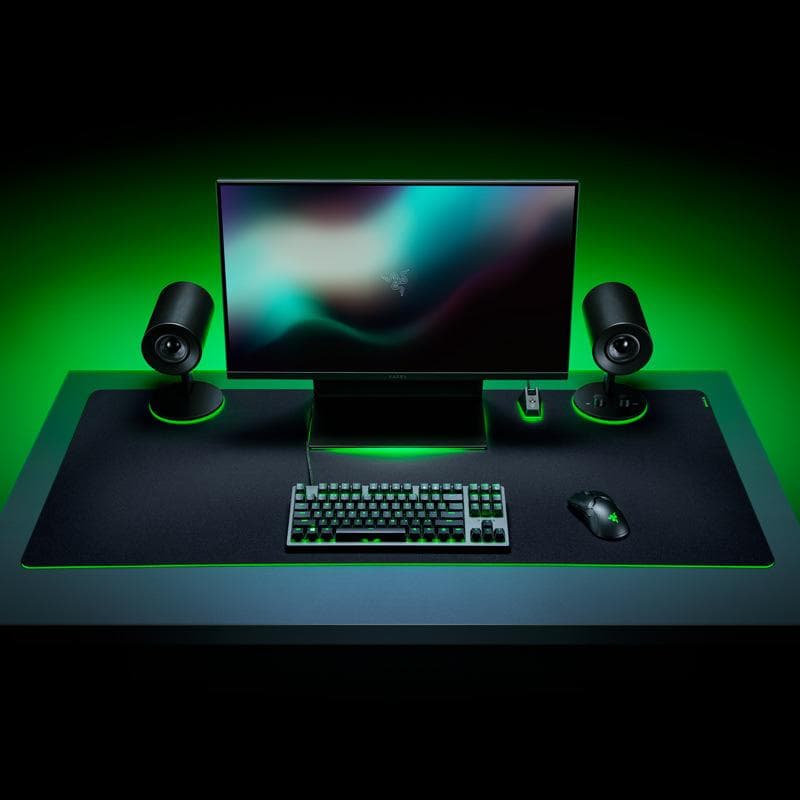
Measure the wall before you shop. You need depth for the monitor to sit an arm's length away, a surface that stays still when you type, and a frame rated for the weight of everything you will put on it. A Z-frame or iron-frame desk with an MDF top is the reliable budget shape. Integrated LED lighting is a preference, not a feature — do not pay for it at the expense of stability or depth.
This is where performance money belongs. A mouse with a good sensor and a shape that fits your grip does more for aim than any other purchase — the Logitech G502 SE is a common recommendation because the shape suits palm grips and the sensor is well regarded. Add a mousepad large enough that you never run out of surface mid-swipe. For the keyboard, low-profile mechanical switches such as those in the Logitech G815 give you a choice of tactile, linear, or clicky feel; pick by how you want typing to feel, not by advertised actuation speed.
Now spend on the things specific to you. A dual controller charging dock if you play on console and hate hunting for batteries. Bias lighting behind the monitor if you play at night. A racing wheel and pedal set if sim racing is the reason you are here, in which case the chair decision from step one matters even more. Everything in this step is optional, which is exactly why it goes last.
The chair. It is the only part of a setup that changes whether you can play comfortably for hours, and upgrading it later means owning two chairs. Budget for it before you budget for lighting or a second monitor.
No. You need a desk that is deep enough for your monitor at arm's length, stable enough not to wobble when you type, and the right height for your elbows to sit at roughly 90 degrees. A gaming-branded desk sometimes delivers that and sometimes just adds a carbon-fibre wrap.
For most people, yes, but for feel rather than performance. Low-profile mechanical switches in three variants — tactile, linear, and clicky — let you pick a typing feel. The competitive advantage is small; the daily comfort difference is not.
Monitor height. Getting the top of the screen to eye level costs nothing if you have books and fixes the neck angle that most people blame on their chair.
Every substantive change to this article, newest first. Only these move the modified date.
Restructured from the 2021 archive post into an explicit spending order, removed promotional closing copy, and added the four reader questions we get most often.
Original archive post published on the 2021 GamerzParadise blog. Contributor not recorded.